

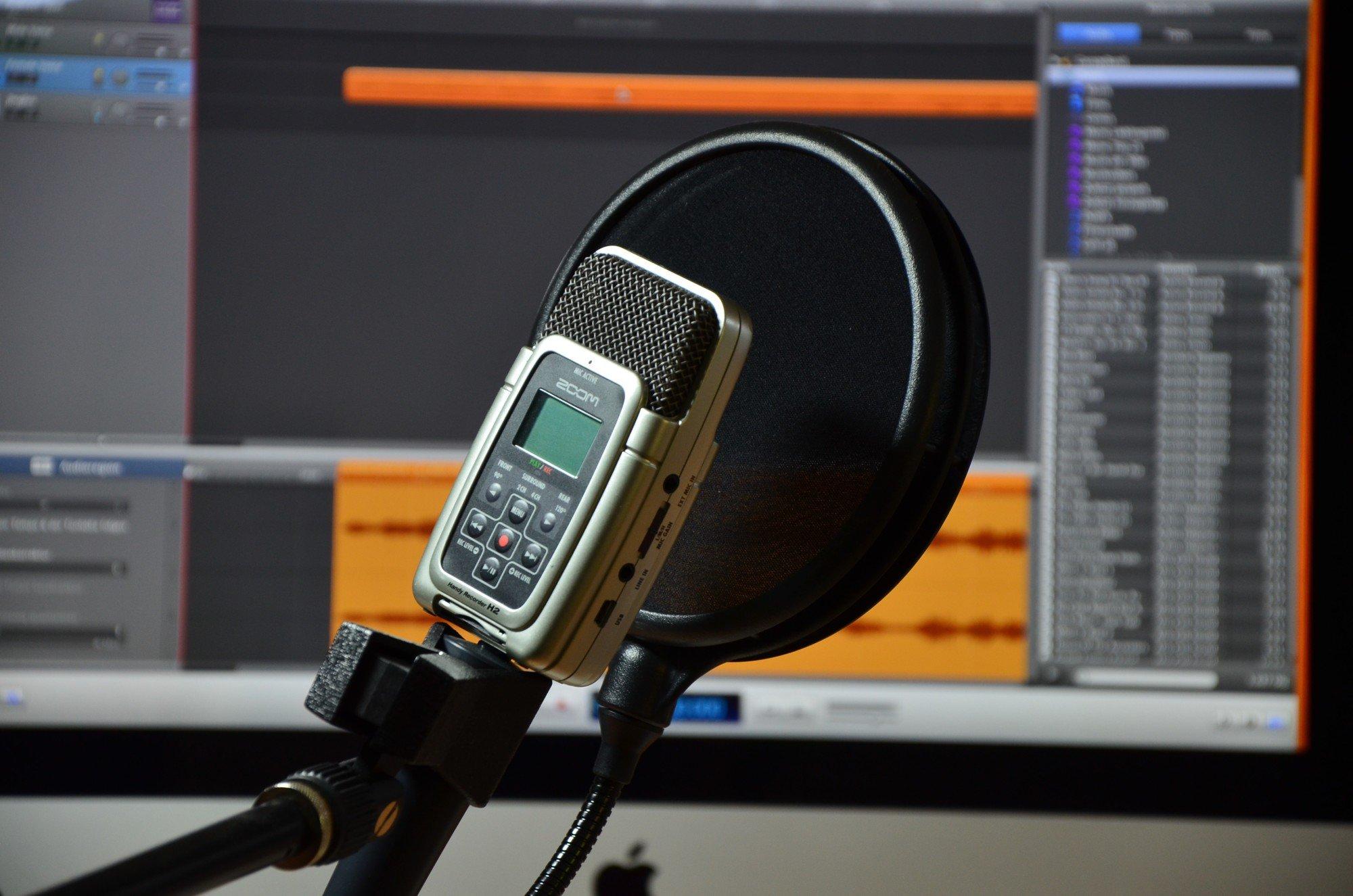
When you're making a video for your business, it can be extremely helpful to have some audio explaining how products or services work. Doing this the right way can be the difference between making a big sale or getting a big contract and missing the boat.
Recording vocals is incredibly difficult, though. Unless you're a professional sound engineer, chances are you're going to have trouble getting voice-overs that don't have pops, hisses, and wild volume fluctuations.
In this post, we're going to give you a few pointers for recording vocals that sound, not just clear, but crisp and high-quality. It has to do with the program you're using, your audio recording equipment, microphone positioning, and the person doing the talking.
When everything comes together in the right way, you'll get the audio sounding exactly right and you'll notice your videos take on a new life. Let's dig in a little bit and teach you how to become a pro audio engineer.
A Guide For Recording Vocals for Your Videos
Recording technique has to be taught. You won't simply know how to use a microphone and recording software right away. It's easy to quickly record sound, but really hard to make it sound like what you're imagining for your videos.
With time and lots of practice, you'll figure out how to work in different spaces, use specific types of microphones, and record different voices. Today, we're going to get you started off on the right foot. After reading this, you'll have an understanding of what you need to build on to make the best voice-overs possible.
Microphones
There are essential pieces of equipment that the quality of your voice-overs will depend on. You'll notice a sliding price scale for these items, but a general rule of thumb is to do your research to find quality products that don't break the bank.
Different microphones specialize in different things. Condenser microphones capture nuance in the talent's voice and also the ambiance of the room that you're recording in. Dynamic microphones do what their name tells you, they block out background noise, allowing for use in any kind of environment.
Because of their superior quality, condenser mics are much more popular for voice-over work, but you may want to keep a dynamic mic around for when you're recording in noisier locations (outdoors, in a busy room, etc.).
There'll be loads of condenser microphones to choose from. Learning about polar patterns and diaphragm size will help you narrow down your selection. Expect to drop a few hundred dollars on a microphone capable of giving you great voice-over recordings.
What microphone you get will dictate a lot of other products that you'll need.
Other Equipment
Some microphones require XLR cables and others require XLR to USB cables. You'll need a pop filter to help you get rid of the pop sound that you get with P's and Q's and sibilance. These create a barrier between the vocal source and the microphone so your talent doesn't get too close and you don't get harsh speech noises.
To avoid the sound of the microphone moving around when people are walking in the studio, you may need a shock mount. These attach to the microphone to stabilize it in unstable environments.
If you're using professional video software, it'll probably have a built-in voice-over component. If it doesn't, you can purchase a program like Audacity, Adobe Audition, or Logic Pro to record your voice-overs.
Coaching the Talent
Once you've got the equipment nailed down, you've got to make sure your speaker is able to control their voice and use space to deliver the voice-over properly. Here are a few common techniques for voice-overs:
- Control the volume with distance. When speaking louder, move further away from the microphone. When speaking softer, move in close to the microphone.
- The angle that the speaker takes in relation to the microphone will have an effect on the sibilance. A pop filter will help with some of the extra air that comes out with certain sounds, but sending the air at a different angle will guarantee a clear delivery.
- Another way to make the voice-over sound close to perfect is by having your speaker to take breaths off to the side instead of directly into the microphone.
Coaching your speaker with these pointers will take some of the post-production work off your hands. That being said, you can easily edit some of the more egregious sound issues after the recording session.
Room Noise
For voice-over work, using a small room will give you the best results. You can do it in a large room or hall, but your condenser microphone will catch any residual noise or echoes that bounce around. Most vocals in music and voice-over are recorded in small vocal booths and reverb and echo are generally added in post.
Post-Production
When you've got your voice-over recorded, you'll need to edit it to fit your video and fix and small errors. Using good editing software, you'll be able to EQ and mix the voice-over to sound bigger and clearer than before.
Getting proficient with editing and mixing software has the biggest learning curve of anything in the recording process. As you get better, you'll be able to make smoother edits that will eventually give your voice-overs a really natural feel.
Make Movie Magic
It's a wonderful feeling when the quality of your voice-over work matches the quality of your videos. Getting there takes a lot of dedication, but with the right equipment and knowhow, you can make it work. Recording vocals can be tedious when learning, but when you get comfortable with it, it actually goes by quickly.
Remember that your equipment and your prowess with recording software is only half the battle. Your speaker needs to understand how to deliver the voice-over with clear speech and good pacing. When you combine a great speaking performance with technical abilities, you'll end up with a great product.
To get a high-quality video made for your company, contact us at Viva Media. We make commercials, product videos, explainer animations, and testimonial videos, to name just a few. Come back and visit our blog to read more about the technical side of creating high-quality videos.




.svg)
.svg)
.svg)
.svg)
.svg)
.svg)
.svg)